Docs
A clean editor: type / for headings, tables, checklists, callouts, code, images and embeds.
Docs and chat
Docs, chat and comments sit beside the tasks they are about. The decision, the file and the next step stay together.
No card needed. Cancel any time. Every tool in every plan.
Kapoor Studio kickoff
In short
Docs, team chat and comments sit next to the tasks they are about, so the decision, the file and the next step stay together. Whiteboards let your team sketch and write by hand with a stylus, live. When you share with a client, you choose exactly what they see.
What changes
Today
"Which file is final?" Three versions in email and one more in a group chat.
With Voro HQ
One doc that you edit together, with every earlier version one click away.
Today
A decision made in chat on Monday is forgotten by Friday.
With Voro HQ
Turn any message into a task with an owner and a date, in two clicks.
Today
Notifications from five apps, and most of them are noise.
With Voro HQ
One inbox for mentions, assigned comments and reminders. Clear it with the keyboard.
The real app, on demo data
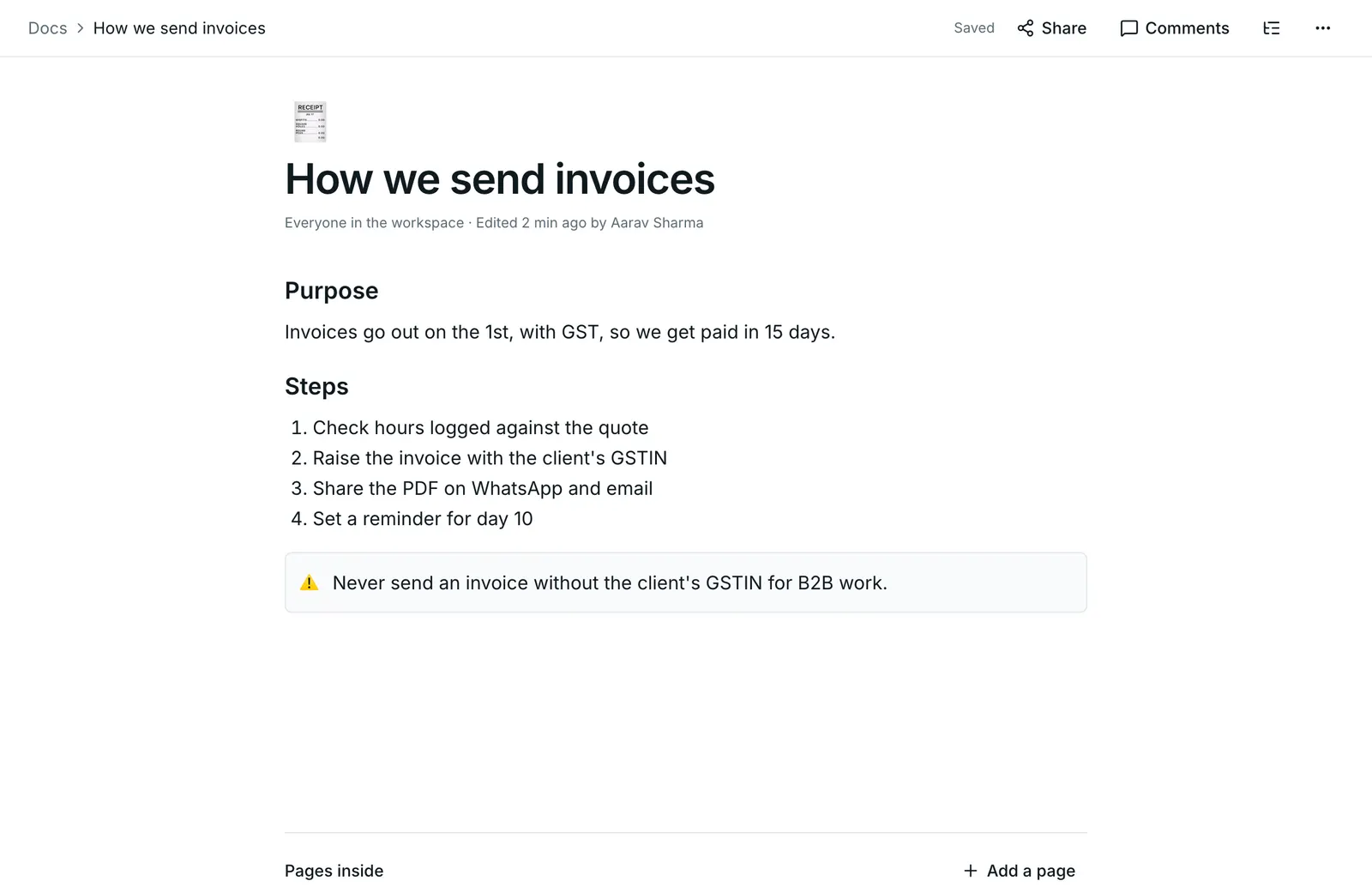
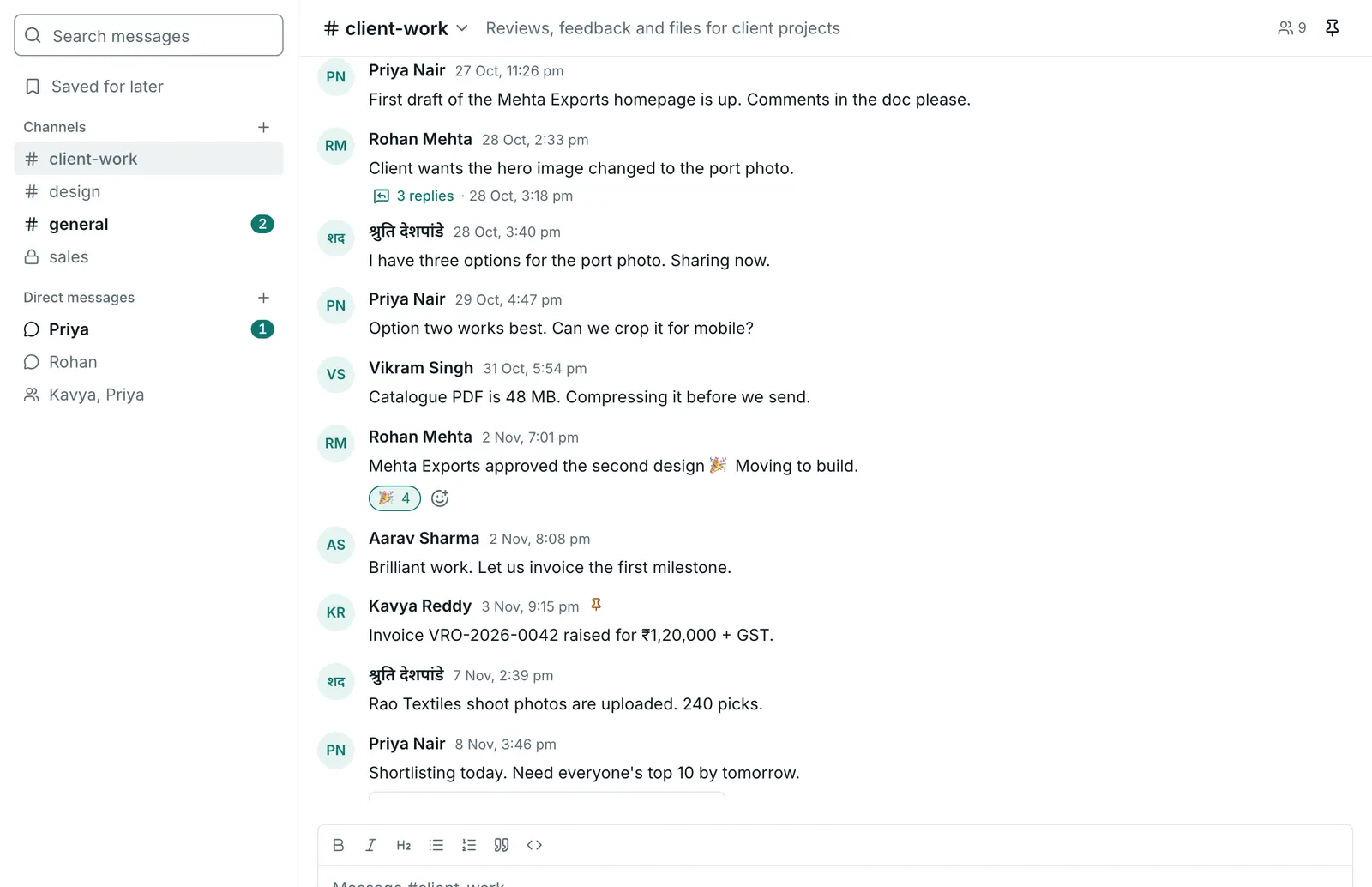
Docs and chat
No more pasting task links into another chat app or hunting for the latest version of a doc. Conversations, documents and decisions sit next to the tasks they are about.
A clean editor: type / for headings, tables, checklists, callouts, code, images and embeds.
Write together with named cursors, and keep working offline. Changes merge when you are back.
Turn any line into a task, and show live task cards inside the doc.
A wiki for every space, with nested pages, covers, icons and a table of contents.
Meeting notes, SOPs, project briefs, client onboarding, sales playbooks, content briefs, month-end close, sprint retros, study notes and exam plans, ready to fill in.
A board of coloured notes, one tap away in the top bar on every page and on My Day. Save to Docs turns a note into a private doc.
Add your photo, crop it to a circle, and your team sees your face on tasks, chat and docs.
Big photos shrink before they upload, so they arrive fast and use less of your storage.
See what changed and restore any earlier version.
Download as PDF, Markdown or Word.
Channels, direct messages, threads, reactions, mentions, files, voice notes and link previews.
Turn any chat message into a task or reminder in two clicks.
Mentions, assigned comments, updates and reminders in one inbox you clear with the keyboard.
Threaded comments on tasks, docs, contacts and dashboards, with mentions and resolve.
Assign a comment and it stays in that person's inbox until it is done.
Reply to a notification email and your answer lands as a comment.
Type "tomorrow 9am" or "every Monday 10am" and get reminded in the app or by email.
Get your reminders on WhatsApp too, on Indian mobile numbers.
Record your screen, camera or voice and attach it to a task, comment or message.
Whiteboards
Sketch, map and plan on an endless board with your team. Write by hand with a stylus, and turn the best ideas into tasks without copying anything.
An endless canvas with shapes, arrows that stay joined, text, images, frames and sticky notes.
Draw and write by hand with Apple Pencil or S Pen, with pressure-sensitive ink, a highlighter and an eraser.
Rest your hand on the screen while you write. Once a pen touches the board, fingers only move and zoom.
Press Tab for a new idea and Enter for the next one. Branches arrange themselves, and any branch becomes a task.
See everyone's cursor as they work, and follow a teammate around the board.
Turn any sticky note or shape into a task, or place a live task card on the board.
Type a flowchart in plain words and get shapes and arrows you can edit.
Group the board into frames and present them like slides, with a laser pointer.
Brainstorm, retro, SWOT, flowchart, user journey, org chart, weekly plan and more, ready to fill in.
Add a whiteboard as a tab on any list or space, right next to the list and the board.
Download a board as an image or copy it to paste anywhere.
Only what you share. Share one task, list or doc with them, or send a link with a password and an end date, and tick exactly what they see.
Yes. Open a whiteboard on a tablet and write with Apple Pencil or S Pen. Your palm can rest on the screen without leaving marks.
Keep writing. Your changes to a doc are kept on your device and merge when you are back online.
No. Attach files to tasks, docs and messages, and export any doc as PDF, Markdown or Word whenever you like.
Your whole business. One app.
Set up your team this afternoon. Every tool, for one simple price.
Try it free for 14 days. No card needed.
Start free trialVee
Voro HQ's helper. Here day and night.